Blog
What Is awstrack.me? Fix SES Email Notifications (2026)
- Engineering
- AWS
- SES
- Tracking
- Deliverability
awstrack.me is an Amazon AWS tracking domain embedded in SES emails. Learn what it is, whether it is safe, why it gets blocked, and how to fix it.
awstrack.me is a domain owned by Amazon Web Services, used by AWS Simple Email Service (SES) to track email opens and link clicks. If you’ve seen an awstrack.me URL in an email and wondered what it is or whether it’s safe, this guide covers everything you need to know — and how to fix it if you’re a developer sending emails through SES.
What Is awstrack.me?
AWS SES uses the awstrack.me domain to track two things: email opens and link clicks.
Open Tracking
AWS inserts a tiny, invisible 1x1 pixel image hosted on awstrack.me into your emails. When the email client loads this image, it registers as an “open” event:
<img src="https://r.us-east-1.awstrack.me/I0/12345678-abcd-efgh-ijkl-123456789012/..." width="1" height="1" style="display:none"/>Click Tracking
AWS wraps all links in your emails with awstrack.me redirects:
https://yourapp.com -> https://r.us-east-1.awstrack.me/L0/https%3A%2F%2Fyourapp.comWhen a user clicks the link, they are first redirected to awstrack.me, which records a “click event” and then forwards them to the original URL.
Is awstrack.me Safe?
Yes — the domain itself is legitimate. It is registered to Amazon Europe Core S.à r.l. and has been active since 2017. It is standard infrastructure, not malware.
However, there are two real concerns:
- Phishing abuse. Because anyone with an AWS account can send emails through SES, scammers sometimes use SES — and therefore
awstrack.melinks — in phishing emails. If you receive an email from your bank or another institution withawstrack.melinks, verify the sender independently before clicking. - Tracking and privacy. The open-tracking pixel and click-wrapping exist to monitor your behavior. Privacy-focused users and corporate IT departments understandably treat this as unwanted tracking.
Rule of thumb: an awstrack.me link does not automatically mean the email is malicious, but it does mean the email was sent through AWS SES with tracking enabled. Judge the email by its sender and context, not by the tracking domain alone.
Why Do awstrack.me Links Get Blocked?
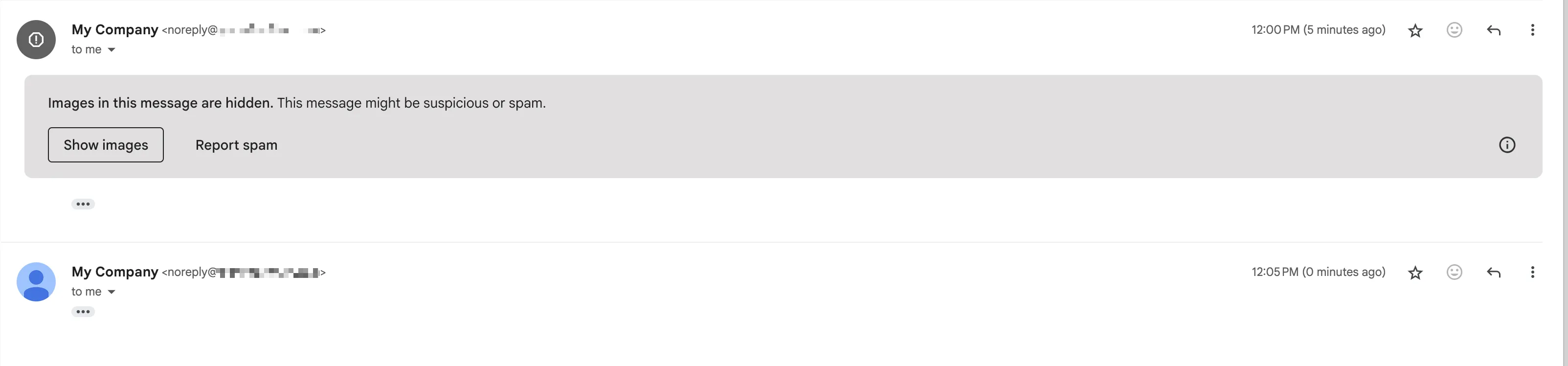
Corporate firewalls and ad blockers like uBlock Origin and AdBlock Plus have specifically flagged awstrack.me for its tracking behavior. This causes real problems for legitimate email senders:
- Links in the email show a warning or are blocked entirely
- Invisible tracking pixels trigger image-blocking warnings
- Ad blockers flag the email as unsafe
This is a widespread issue affecting any application or service that sends email through AWS SES — including services built on top of SES like Resend and others.
Who Is Affected?
You may be here for one of two reasons:
- You received an email with an
awstrack.melink and want to know if it’s safe → see Is awstrack.me Safe? above. - You send emails through AWS SES (directly or via a service built on SES) and your recipients are getting blocked links → read on for the solutions below.
Solutions
Here are three solutions with different cost vs effort trade-offs:
| Solution | Cost | Effort | Tracking Preserved |
|---|---|---|---|
| Pingram | Lowest 3,000 emails free /month |
Lower Simple API that replaces SES | ✅ Yes |
| SES + Custom tracking domain | Low SES + CloudFront costs 3,000 emails /month |
Higher DNS setup, CloudFront Distribution, SSL config | ✅ Yes |
| SES + Disable tracking | Lower Just SES costs 3,000 emails /month |
Lowest Just disable in settings | ❌ No; loses all tracking data |
Solution 1: Pingram (Managed Notification Service)
Pingram is a managed notification service that handles email delivery without exposing awstrack.me links. It uses custom tracking domains by default, so your recipients never see third-party tracking URLs.
Install the SDK:
npm install pingramUse it to send emails:
import { Pingram } from 'pingram';
const pingram = new Pingram({  apiKey: process.env.PINGRAM_API_KEY});
await pingram.email.send({ type: 'password_reset', to: 'user@company.com', subject: 'Reset your password', html: '<p>Hello World</p>'});- 3,000 emails free per month
- Additionally can send: SMS, Push, In-App, etc.
- Developer friendly features like: detailed logs, built-in deduplication, throttling, etc.
Read the docs and supported email features here.
Solution 2: SES + Custom Tracking Domain
In this approach, you can keep using SES but replace awstrack.me with your own domain.
The difficulty of this solution is setting up an SSL certificate, CloudFront distribution, and Route 53 DNS record. To serve the tracking links from your own HTTPS domain, e.g. https://tracking.yourapp.com, SES requires this CloudFront distribution, which acts as a proxy for the actual tracking links.
SSL certificate is required to serve the tracking links with HTTPS which is more secure and also prevents email clients from showing warnings about content without SSL.
And don’t forget to perform this in every region with SES usage:
Step 1: Set up a subdomain in your DNS settings
Type Name ValueCNAME tracking.yourapp.com awstrack.meStep 2: Set up a SSL certificate for your domain
You can use AWS Certificate Manager to set up a SSL certificate for your domain.
Step 3: Set up a CloudFront distribution
Configure the CDN to the origin which is the SES tracking domain depending on the region, such as r.us-east-1.awstrack.me for example.
The CDN must point to the AWS tracking domain that’s in the same region as your custom domain. The CDN must pass the Host header supplied by the requester to the origin.
The CloudFront will also use the SSL certificate created in the previous step.
In the CloudFront dashboard:
- CNAME (alternate domain name): tracking.yourapp.com
- SSL certificate: the one you created in the previous step
- Origin:
- Create a new origin:
- Origin domain: r.us-east-1.awstrack.me (or the region you are using)
- Protocol policy: HTTPS only
- Name: anything, e.g. tracking-origin
- Behaviors:
- Create a new behavior:
- Pattern: Default (*)
- Origin: r.us-east-1.awstrack.me
- Viewer protocol policy: redirect HTTP to HTTPS
- Cache policy: Not neceesary
- Origin request policy:
- Create a policy passing CloudFront-Viewer-Country, Referer, User-Agent, Host headers
- Create a new behavior:
Step 4: Verify your domain in SES
In order to use a custom tracking domain, that domain must be verified in SES.
Step 5: Configure SES to use your domain
If using the AWS dashboard, you can do this in the “Configuration sets” section.
aws sesv2 put-configuration-set-tracking-options \ --configuration-set-name my-config-set \ --custom-redirect-domain tracking.yourapp.comDon’t forget to enable SSL in the “Delivery options” section.
aws sesv2 put-configuration-set-delivery-options \ --configuration-set-name my-config-set \ --delivery-options TlsPolicy=RequireStep 6: Make sure you using the configuration set when sending emails
You can do this by setting the configuration set as the default for a specific SES identity:
aws sesv2 put-configuration-set-identity-event-destination \ --configuration-set-name my-config-set \ --event-destination-name click-tracking \ --event-destination-type tracking-options \ --tracking-options CustomRedirectDomain=tracking.yourapp.comAlternatively, you can specify a configuration set when sending emails using AWS SDK:
await ses .sendEmail({ // ... ConfigurationSetName: 'my-config-set' }) .promise();Result: The tracking links and the pixel are now using your custom domain, preventing them from being blocked by corporate firewalls and ad blockers:
https://yourapp.com/... -> https://tracking.yourapp.com/...Solution 3: SES + Disable Tracking
Remove all tracking to ensure maximum deliverability:
Via AWS Console:
- Go to Amazon SES → Configuration sets
- Select your configuration set
- Navigate to Event destinations
- Delete both click and open tracking destinations
Via AWS CLI:
# Disable click trackingaws sesv2 delete-configuration-set-event-destination \    --configuration-set-name my-config-set \    --event-destination-name click-tracking
# Disable open trackingaws sesv2 delete-configuration-set-event-destination \    --configuration-set-name my-config-set \    --event-destination-name open-tracking
Trade-off: You lose all email analytics but gain maximum deliverability.
Testing Your Solution
- Send a test email
- In your email client, open the RAW email content. In Gmail, you can do this by clicking the “Show original” option in the three-dot menu.
- Search for
awstrackin the raw content. If the fix worked, you should not find any matches.
Related Resources
- Email Deliverability Best Practices — reduce bounce rates and avoid spam folders
- How to Prevent AWS SES Review and Suspension — keep your SES account in good standing
- Email Tracking and Analytics — understand open rates and click tracking across providers
- Transactional Email APIs — compare alternatives to raw SES for sending transactional emails
FAQ
What is awstrack.me?
awstrack.me is a tracking domain owned by Amazon Web Services (AWS). It is used by AWS Simple Email Service (SES) to track email opens (via a hidden 1x1 pixel) and link clicks (by wrapping URLs with redirects through awstrack.me).
Is awstrack.me a virus or phishing scam?
No. The domain itself is legitimate Amazon infrastructure, active since 2017. However, because anyone can send email through AWS SES, phishing emails may also contain awstrack.me links. Always verify the sender before clicking.
Why is my ad blocker flagging awstrack.me?
Ad blockers like uBlock Origin and AdBlock Plus classify awstrack.me as a tracking domain — which it is. They block it to protect user privacy, which has the side effect of breaking legitimate email links sent via SES.
Can I remove awstrack.me from my emails?
Yes. You can either disable open/click tracking in your SES configuration set, set up a custom tracking domain via CloudFront so the links use your own domain instead, or switch to a managed email service like Pingram that handles this automatically.
Does Resend use awstrack.me?
Resend and several other email services are built on AWS SES infrastructure. Depending on their configuration, emails sent through these services may include awstrack.me tracking links. Check your provider’s documentation on custom tracking domains.
We Are Happy to Help
Whether you use AWS SES or Pingram, feel free to contact us for help.
Common questions
01What is awstrack.me?
awstrack.me is a tracking domain owned by Amazon Web Services (AWS). It is used by AWS Simple Email Service (SES) to track email opens via a hidden 1x1 pixel and link clicks by wrapping URLs with redirects through awstrack.me.
02Is awstrack.me a virus or phishing scam?
No. The domain itself is legitimate Amazon infrastructure, active since 2017. However, because anyone can send email through AWS SES, phishing emails may also contain awstrack.me links. Always verify the sender before clicking.
03Why is my ad blocker flagging awstrack.me?
Ad blockers like uBlock Origin and AdBlock Plus classify awstrack.me as a tracking domain — which it is. They block it to protect user privacy, which has the side effect of breaking legitimate email links sent via SES.
04Can I remove awstrack.me from my emails?
Yes. You can disable open/click tracking in your SES configuration set, set up a custom tracking domain via CloudFront, or switch to a managed email service like Pingram that handles this automatically.
05Does Resend use awstrack.me?
Resend and several other email services are built on AWS SES infrastructure. Depending on their configuration, emails sent through these services may include awstrack.me tracking links.