Blog
Pingram vs. Twilio - Building a Product Notification System
- Guides
- Twillio
- Comparisons
Pingram uses Twilio under the hood but expands to Email, In-App, and other features for software teams that want an all-in-one notification service.
Summary
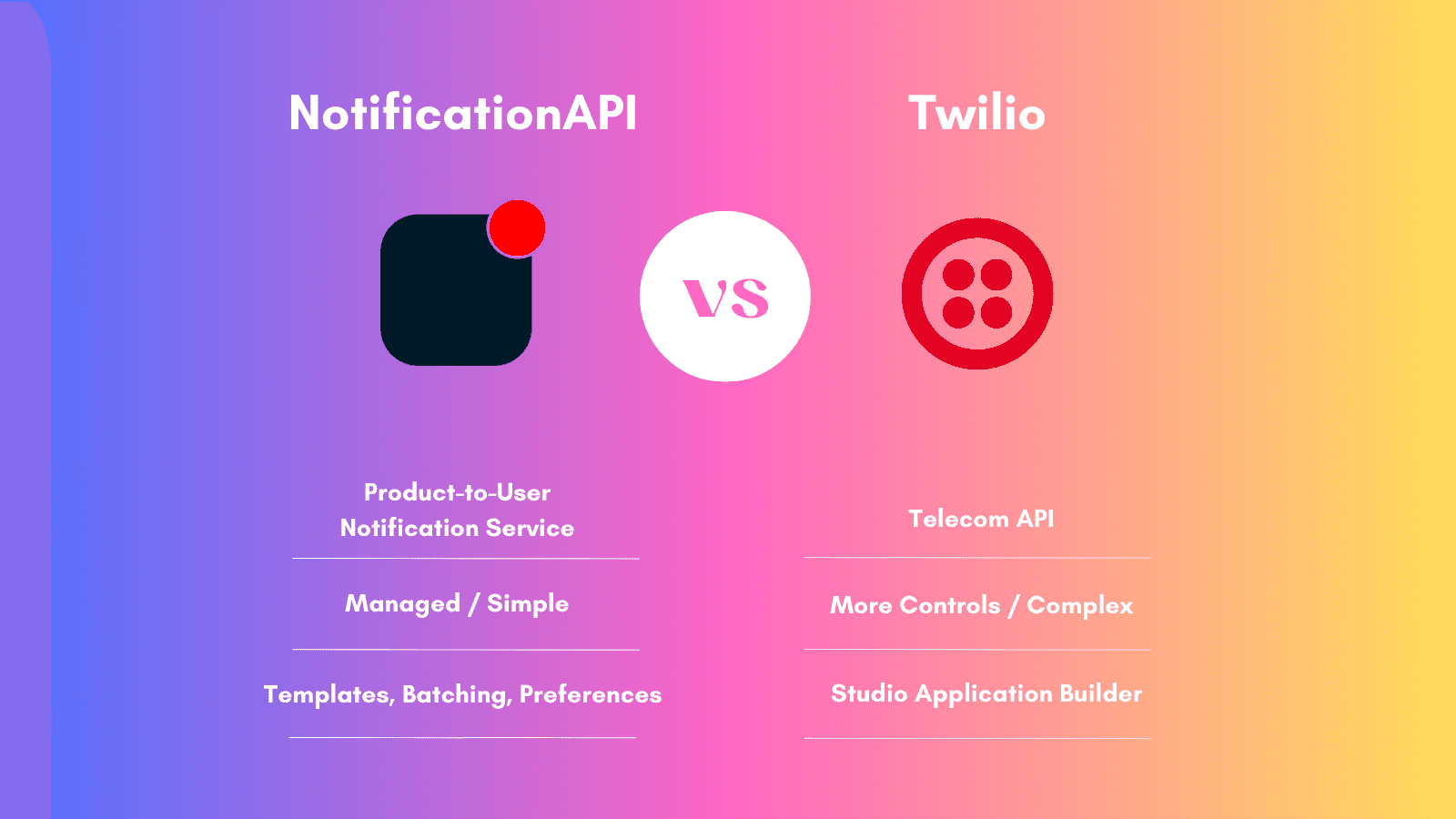
Pingram uses Twilio infrastructure for SMS delivery under the hood but automates the setup process and improves the development experience with additional features such as a notification editor, granular user preferences, email notifications, in-app notifications, and more.
You can think of Twilio as the roads and highways, and Pingram as the transit system. Do you just need to get somewhere or do you need to work on the roads?
Pingram vs. Twilio: Channels
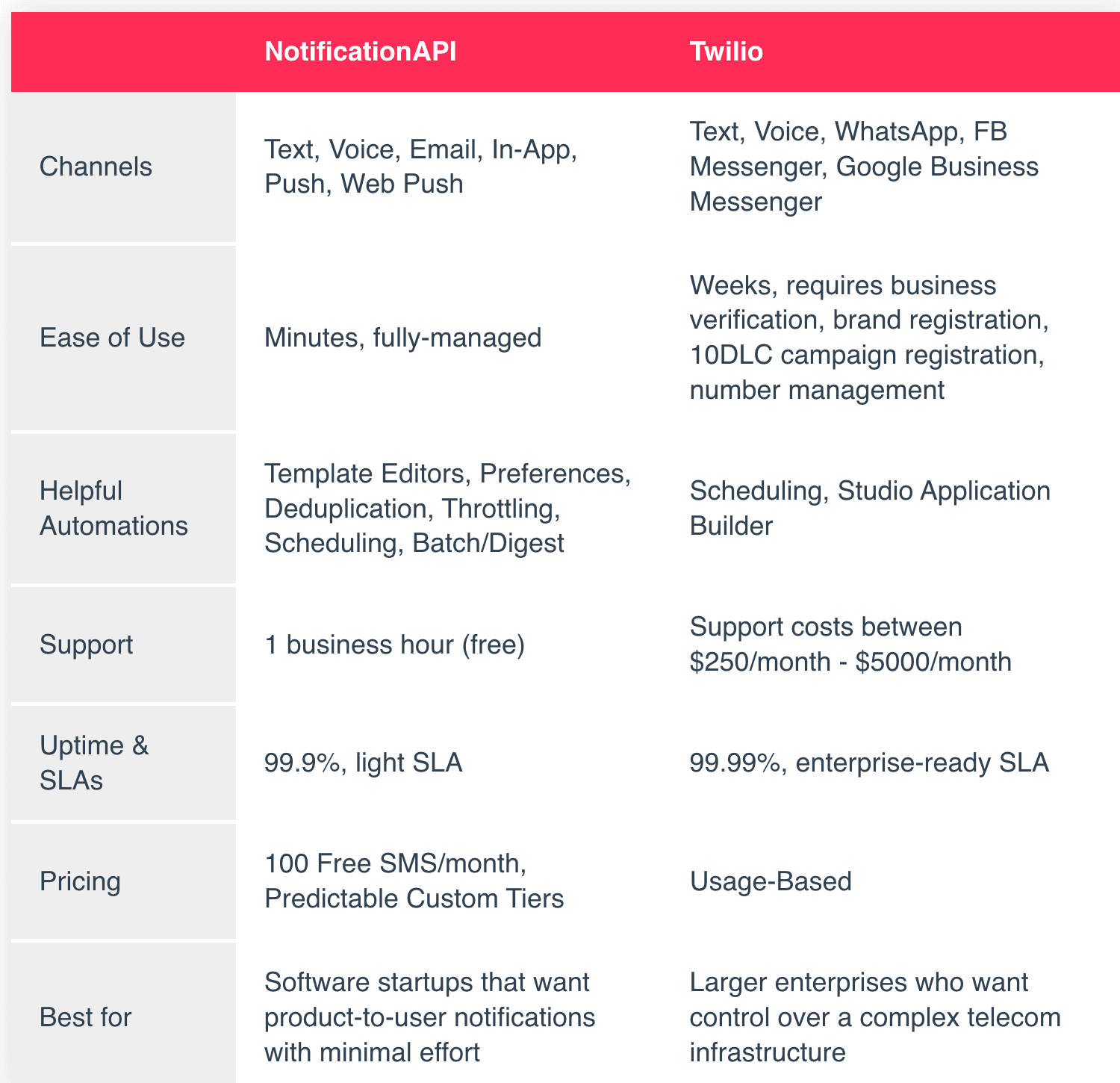
Pingram supports SMS, Voice, Emails, and In-App Notifications.
Twilio offers SMS, Voice, and WhatsApp. Twilio owns SendGrid, which provides Email, but it is an entirely separate product with different pricing and APIs from “Twilio Messaging.”
Pingram vs. Twilio: Ease of Use
We designed Pingram to take 5 minutes from signup to sending your first notification. This is possible because it is a fully managed service, with a dashboard to design notifications and a simple API to send them. Pingram automatically manages all your required telecom infrastructure under the hood without you noticing. You request changes, e.g. changing your outgoing number, but generally, you don’t need to worry about it.
Twilio is closer to the metal, requiring various configuration steps to get started, even for developer accounts. However, their API is well-documented and easy to use once you are done with the configuration. Twilio requires registering and managing your numbers, sending quotas, registering your brand, registering your campaign, following regulations of each region for deliverability, monitoring your alerts, and so on.
Pingram vs. Twilio: Automation
As a product-to-user notification service, Pingram offers notification features typical in most software companies: user preferences, scheduling, batching notifications, throttling, deduplicating, etc.
As a telecom API, Twilio does not offer many automations specific to product-to-user notifications. They do support scheduling and creating workflows through their Application Builder.
Pingram vs. Twilio: Support
Pingram shines with <1 business hour response time for all customers regardless of their plan. Pingram supports users across various channels: Email, Chat, Slack, Discord, and even Video Calls. It elevates the experience for enterprise customers with feature prioritization and 24/7 on-call support.
Twilio’s support is a paid product at $250/month, $1,500/month or $5,000/month. With the lower tier, you receive <3 business hour response time over the Web and Chat when the issue is critical.
Pingram vs. Twilio: Uptime and SLA
Pingram guarantees a 99.9% uptime and an SLA for enterprise customers only. Our notification architecture allows us to easily handle large volume of notifications and spikes in usage without you needing to do anything. We consistently stress test our system architecture. Twilio is a more established company servicing larger enterprises, thus offering 99.95% uptime and more comprehensive SLAs.
Pingram vs. Twilio: Pricing
Pingram offers 100 free texts in its free tier. Beyond that, Pingram offers a predictable pricing model where we create a custom tier based on your expected sending volume, country coverage, and support needs.
Conclusion
Choose Pingram as your notification service, if you hit 2-3 of these conditions:
- You need product-to-user notifications
- You need more than just SMS
- You cannot form a notifications team
- You don’t want to waste time dealing with the metal: numbers, quotas, telecom regulations, etc.
Choose Twilio, if you hit 1 or 2 of these conditions:
- You use SMS for mass marketing purposes
- You work in a highly regulated industry (politics, firearms, …)
- You want to program the number allocation
- You are a large enterprise client with strict compliance requirements